What's Included in Your Free Trial
Try SavePoint with real data. Track up to 200 transactions and 5 accounts with a full year of budgeting - enough for 1-2 months of real financial data.
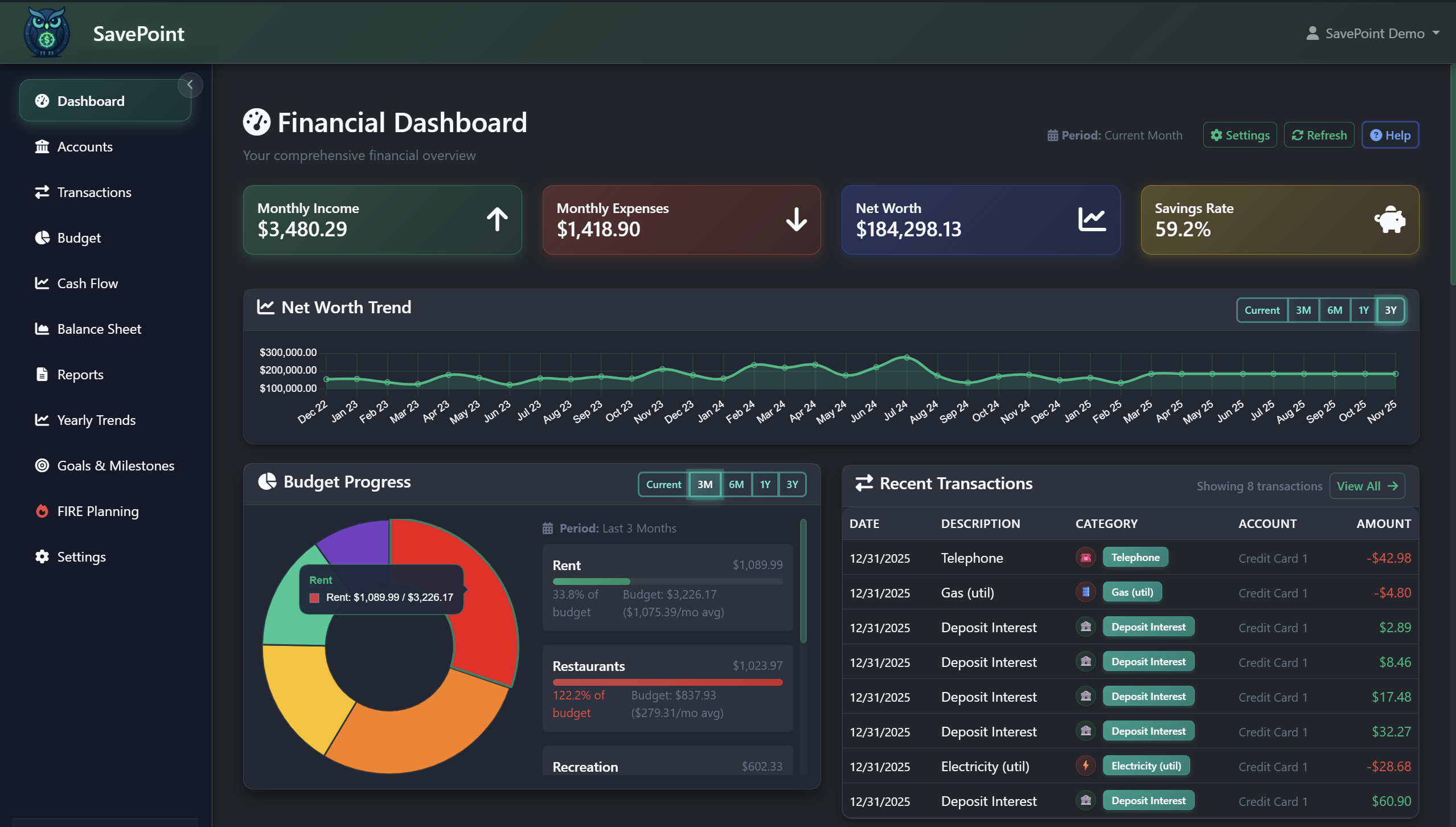
Dashboard
Net worth overview, savings rate tracking, account balances, recent transactions, budget progress charts, and net worth trend.
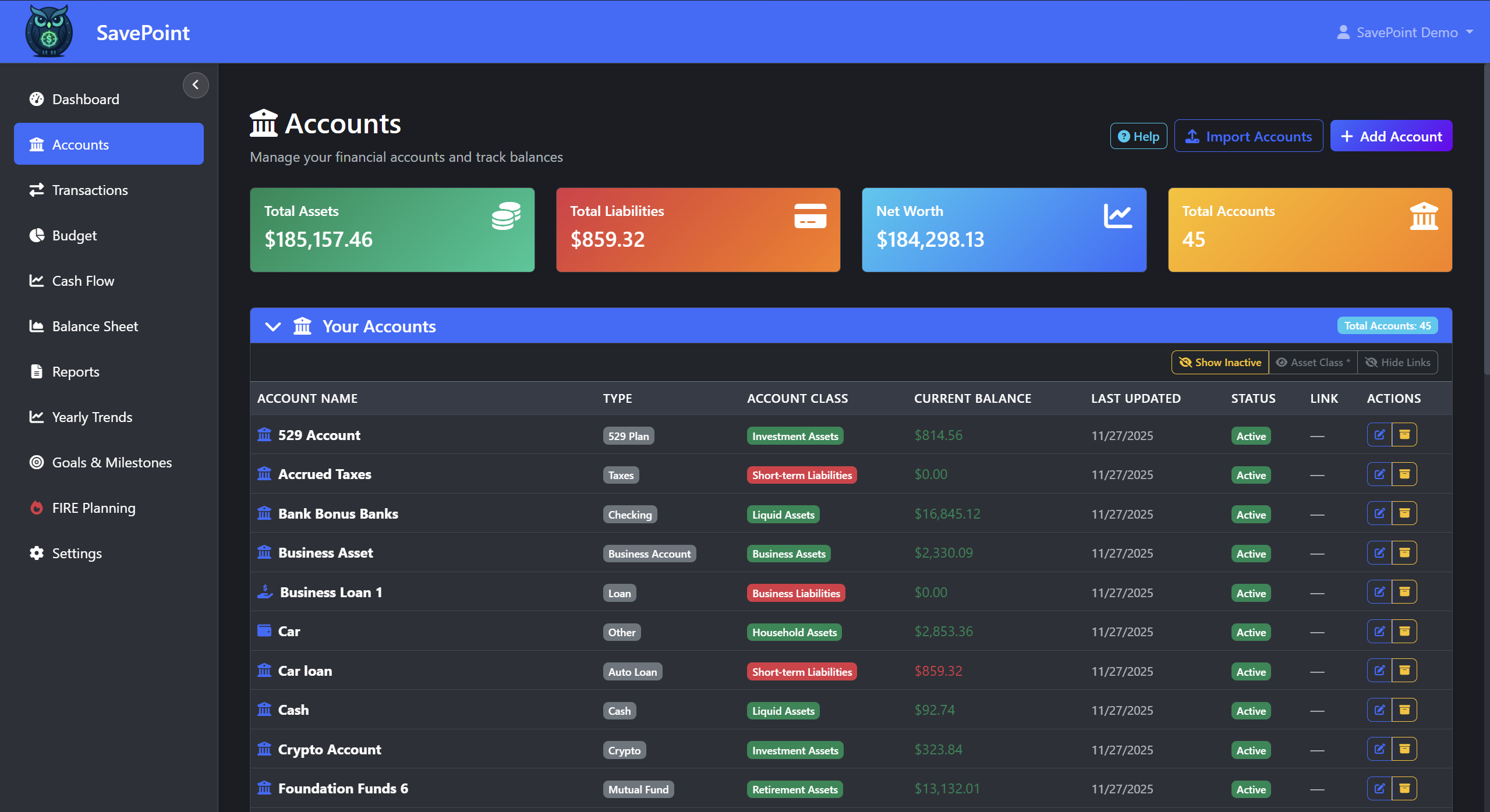
Account Management
Add, edit, and manage up to 5 financial accounts with all account types. See asset vs. liability breakdowns, net worth summaries, and account-level detail.
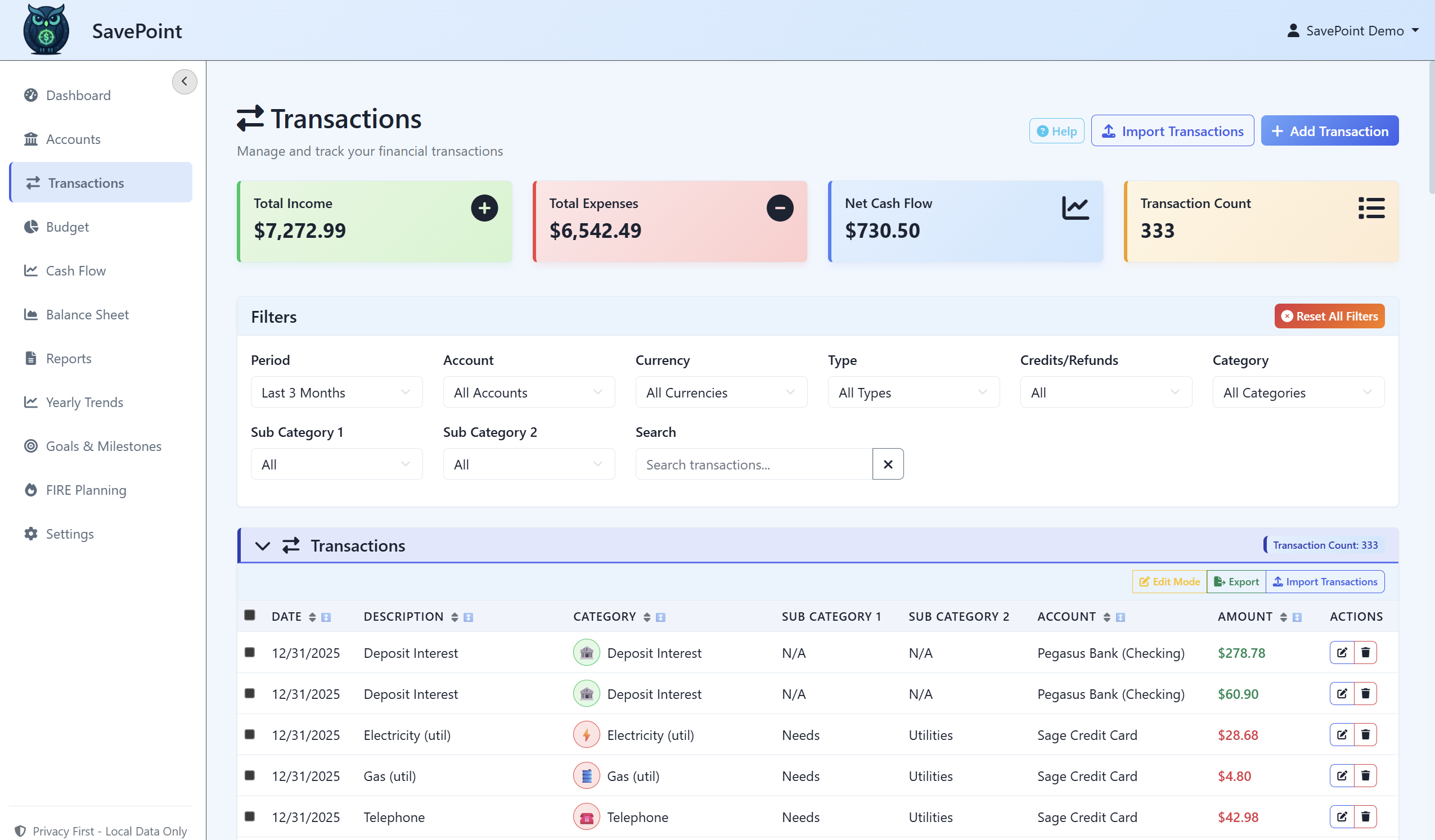
Transaction Tracking
Manually add, edit, delete, search, filter by date/account/type/category, sort, and pagination. Enough to cover 1-2 months of real spending.
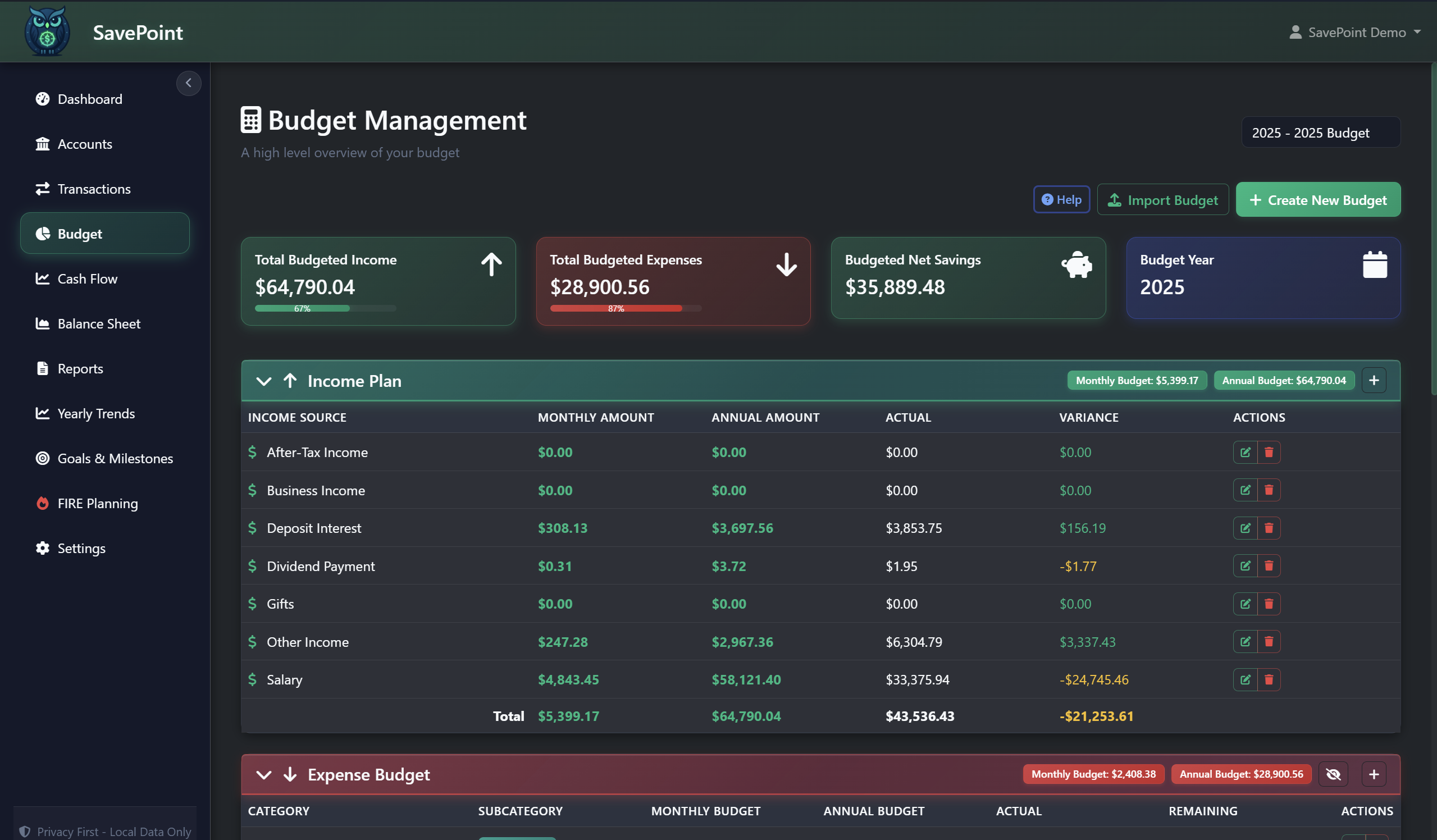
Budget Planning
Create a complete annual budget with budget vs. actual analysis, income planning, and subcategory management. Full functionality for one budget year.
Cash Flow Center
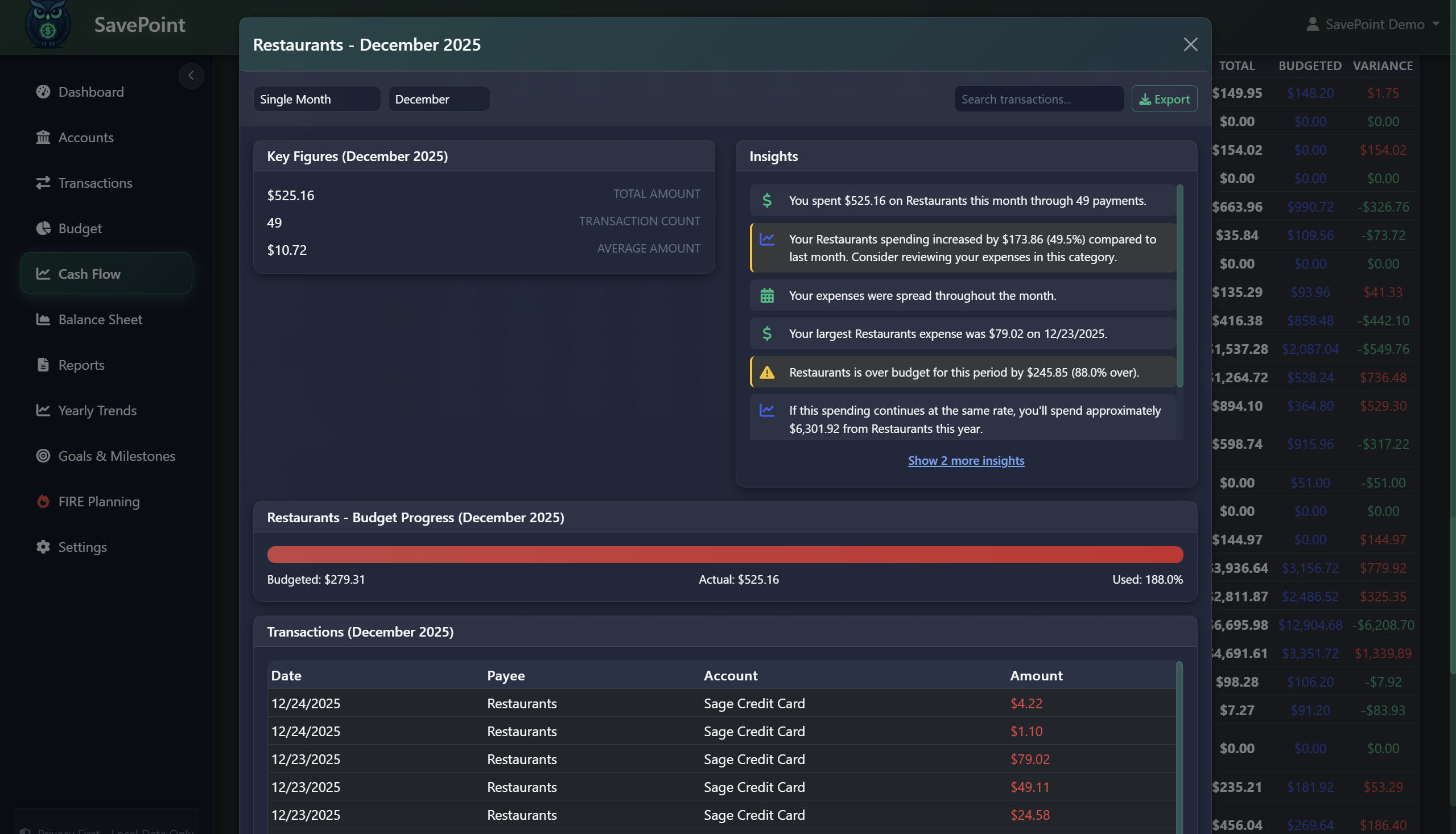
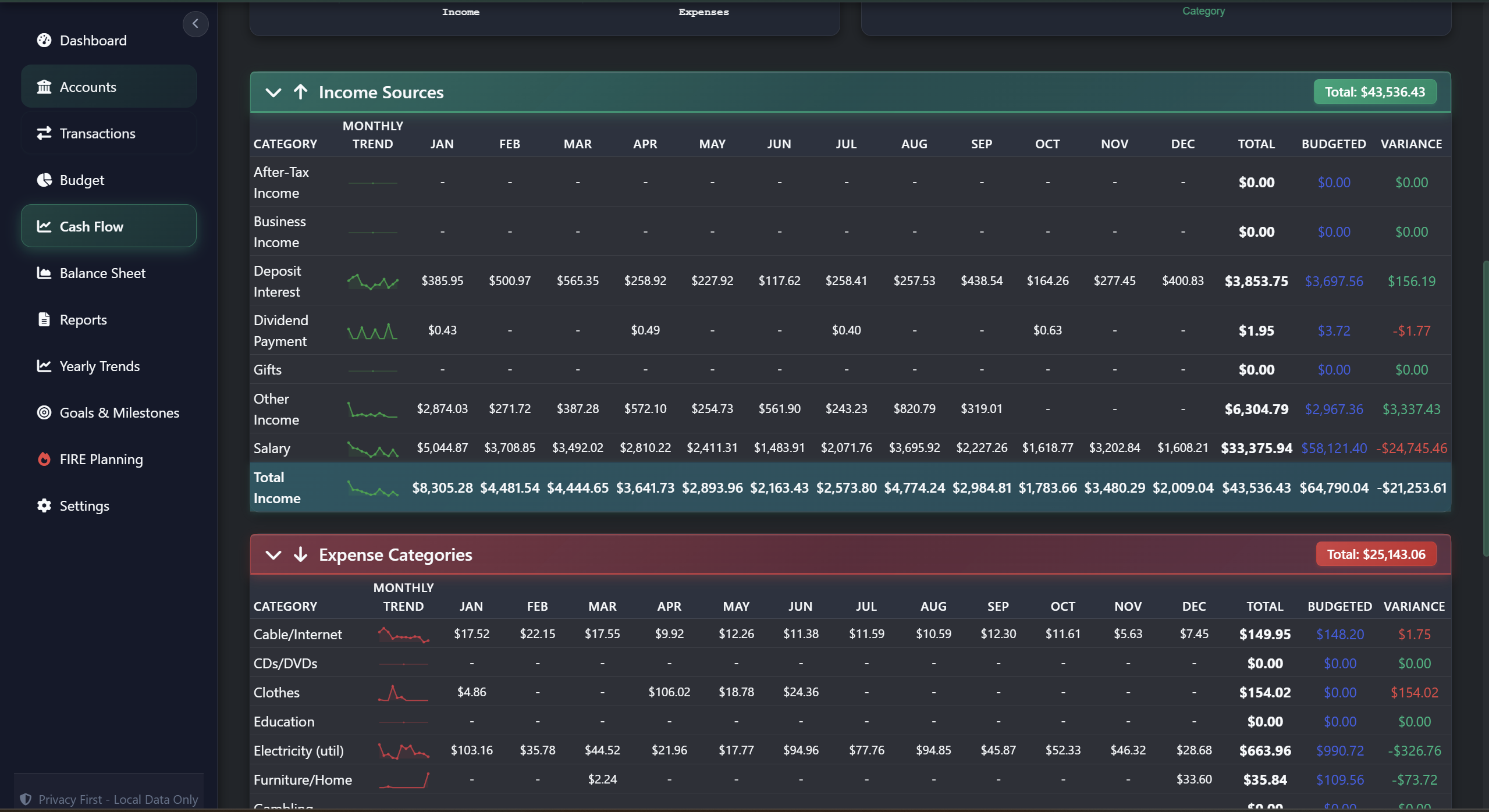
Current month vs. budget analysis, single-month and annual summaries, drill-down modals, and interactive charts to understand your money flow.
Balance Sheet
Current net worth tracking, asset and liability breakdowns with pie charts, net worth trend lines, 3- and 6-month views, and manual balance updates.
Settings & Export
Profile, theme, date format, password, auto-lock, and - critically - full data export so everything carries over when you upgrade.
Setup Wizard
Guided onboarding walks you through income, expenses, and 50/30/20 goal planning to get you started in minutes.
Your Trial Data Carries Over. Nothing Is Wasted.
Any data you enter in the trial - transactions, accounts, budgets, balances - can be exported from Settings > Data Management and imported directly into the full version. You'll never have to re-enter anything.
Preview the Full Version Inside Your Trial
Everything above is functional in the trial. Everything below unlocks with the full version. The trial includes visual walkthroughs so you can see exactly what you'll get when you upgrade.

All Limits Removed
The full version unlocks unlimited accounts, unlimited transactions, unlimited budget years (one per calendar year), all dashboard modules, and Cash Flow Insights with drill-down analysis.
FIRE Planning
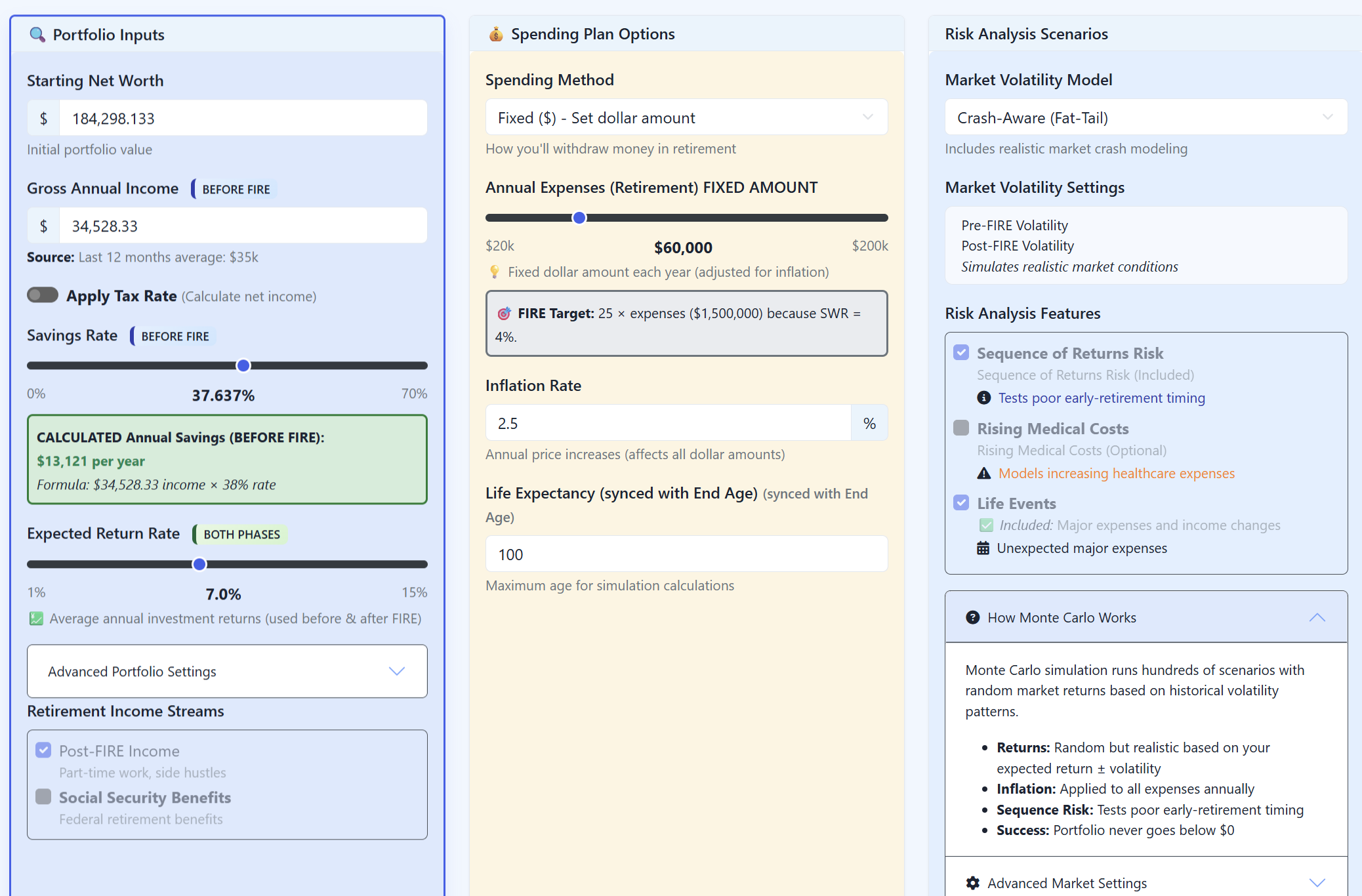
Preview 6 tabs: Overview, Projections, Monte Carlo simulations (10,000+ scenarios), What-If Scenarios, Milestones, and Settings. See your complete path to Financial Independence.
Professional Reports
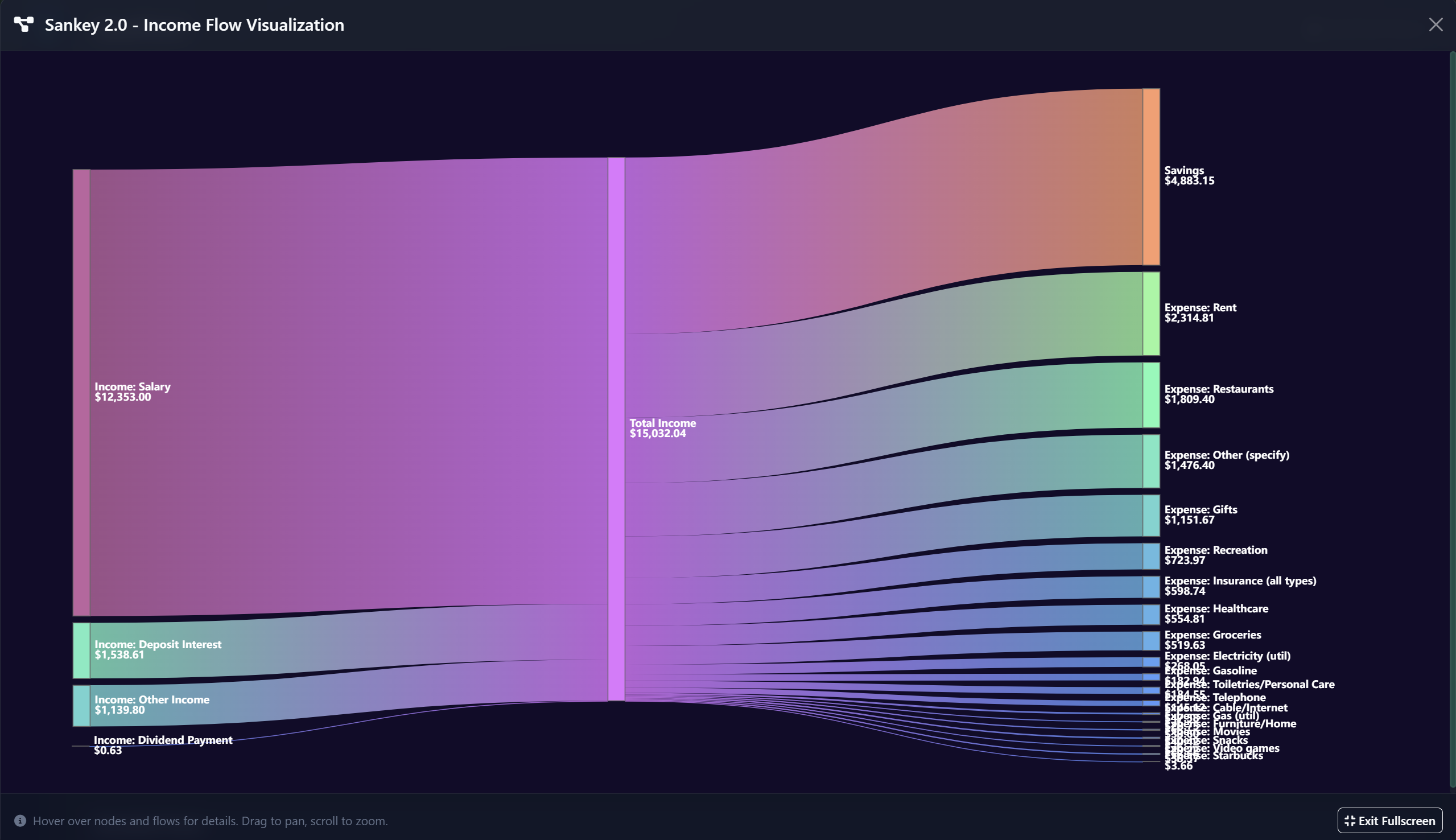
Preview all 14 report types: Income vs Expenses, Category Breakdown, Net Worth Trend, Monthly Cash Flow, Budget Performance, Investment Performance, Debt Analysis, Income Flow Sankey, Sankey 2.0, Expense & Income Trends, Tag Summary, Household Budget, and Tax Summary.
Yearly Trends
Preview multi-year income and expense charts, salary timeline tracking, year-over-year category analysis, and growth rate calculations.
Goals
Preview the Goals system including savings goals, debt payoff tracking, spending targets, and habit tracking tiles.
Households & Owners
Built for couples, families, and roommates. Assign account owners and filter everything - Budget, Balance Sheet, Cash Flow, and Reports - by household member. Coming soon in version 1.05.
Multi-Currency
Hold accounts in any currency, record transactions in the currency you actually paid in, and let SavePoint handle conversion to your base currency automatically. 150+ currencies supported.
CSV Import & PDF/Excel Export
Import transactions, accounts, budgets, and balance sheet data via CSV. Export per-page reports to PDF or Excel for sharing with your accountant or partner.
Transaction Tags
Label any transaction with custom tags to track reimbursables, tax-deductible spending, vacation budgets, projects, or anything that cuts across your normal categories. 15+ default tags included. Coming soon in version 1.05.
8 Languages & More
English, Spanish, French, German, Italian, Portuguese, Japanese, and Chinese. Plus split transactions, notes, merchant mapping, and custom view settings.
Trial FAQ
What can I actually do in the trial?
You get full access to the SavePoint Trial, including the Dashboard, up to 5 accounts, 200 transactions, a full year of budgeting, the Cash Flow Center, Balance Sheet, Settings (including data export), and the Setup Wizard. FIRE Planning, Reports, Yearly Trends, Goals, Household support, CSV Import, and other features are available as visual walkthroughs so you can see exactly what they offer.
Do I need a credit card?
No. The trial is completely free with no payment information required.
Will I lose my data if I upgrade?
No. Any data you enter in the trial can be exported from Settings > Data Management and imported directly into the full version. Your transactions, accounts, budgets, and balances all carry over.
Do I need an account? What data does SavePoint collect?
Yes, a free SavePoint account (email and name) is required to download the trial. This is subject to our privacy policy. By signing up, you agree to receive SavePoint product emails and updates. You can opt out at any time from your account page.
The SavePoint software itself collects zero data. It operates 100% offline - your financial data is stored only on your computer and is never transmitted anywhere. The only information we collect is through the website: your account info when you sign up, download activity, standard website analytics, and referral links if you visit our site from within the trial program. The full version of SavePoint is also fully offline.
How do I transfer my trial data to the full version?
In the trial, go to Settings > Data Management and save a backup of your database. When you purchase the full version of SavePoint, install the software, create a new account, navigate to Settings > Data Management, and upload your trial database directly. All of your transactions, accounts, budgets, and balances will transfer over.
What are the trial limits?
The trial supports up to 200 transactions, 5 accounts, 1 budget year, and 60 daily balance entries per account. This is typically enough for 1-2 months of real financial data. FIRE Planning, Reports (14 types), Yearly Trends, and Goals are available as interactive previews. Features like Households, Multi-Currency, CSV Import, and PDF/Excel exports are available in the full version.
What platforms does SavePoint support?
The SavePoint trial is available for Windows 10+ (64-bit) and macOS 11 Big Sur or later (Apple Silicon).
Ready to Take Control of Your Finances?
Download the free trial for Windows and start managing your money with complete privacy. No credit card. No risk. Your data stays on your computer.
Or sign up to stay updated: